
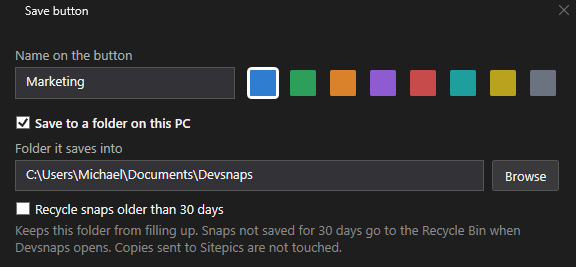
Choose your save path
Configure a local save path: one you're happy for your agent(s) to access.
2x your development speed. Devsnaps lets you capture, edit and instantly paste all the info your agent needs in a Snap.
FREE desktop app. Set it up for local storage, with the option of linking your paid Sitepics account.
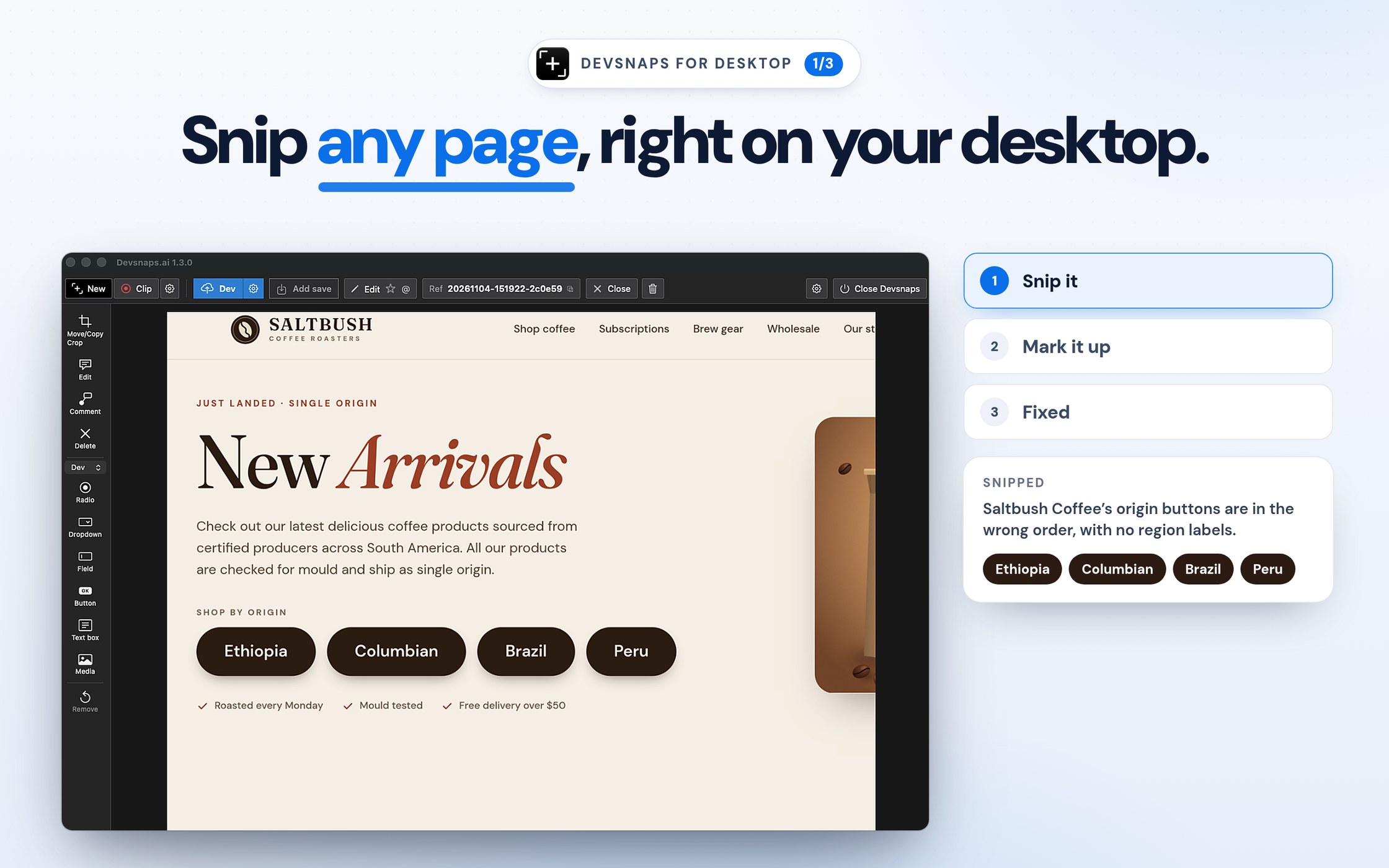
Explaining graphical changes with text is laborious.
Snipping, saving and sending a file path or file name to your agent is a waste of time.
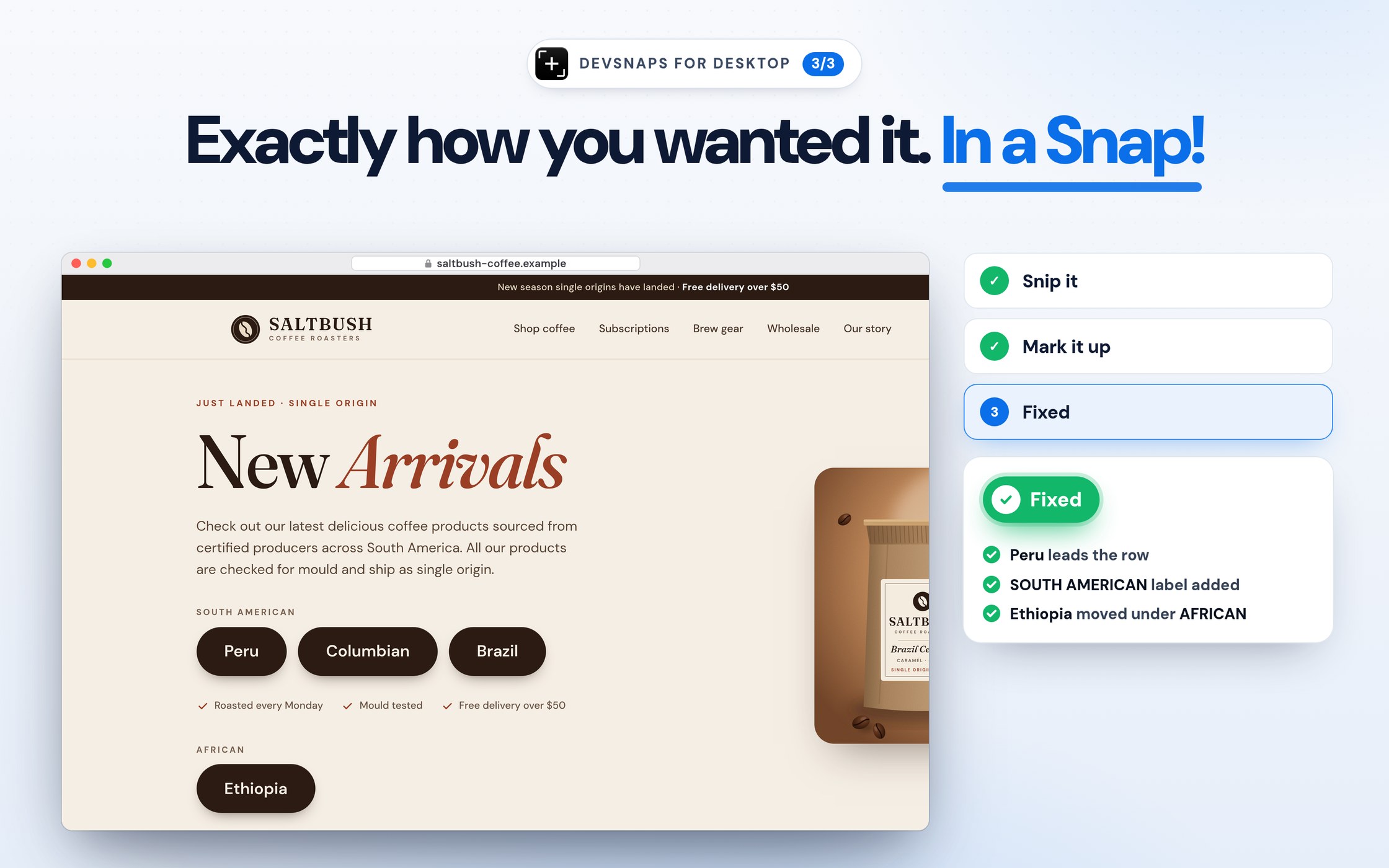
Going through 5 iterations to get the update you wanted sucks.
So ditch the default Windows or Mac snipping tool and supercharge your development with Devsnaps: the simple, yet powerful desktop screen capture tool that lets you ship edits and updates FAST.
Configure a local save path: one you're happy for your agent(s) to access.
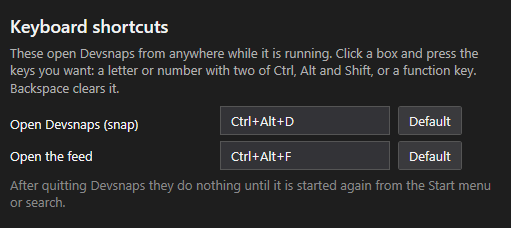
Set up your preferred keyboard shortcut.

Snip or clip a website or software you're working on.
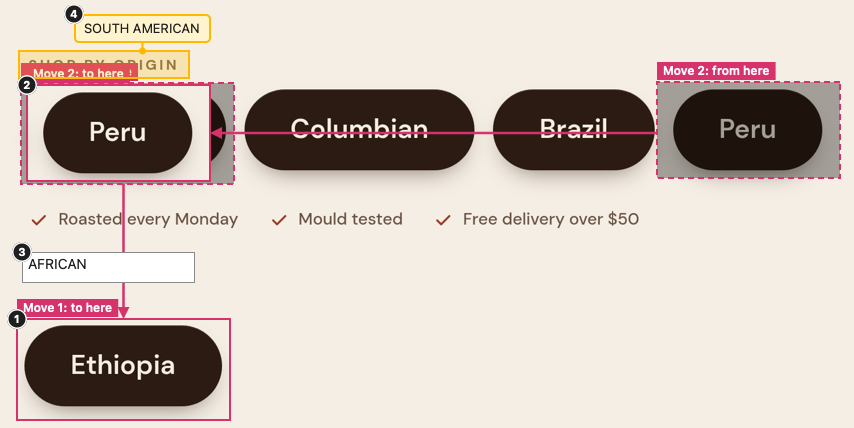
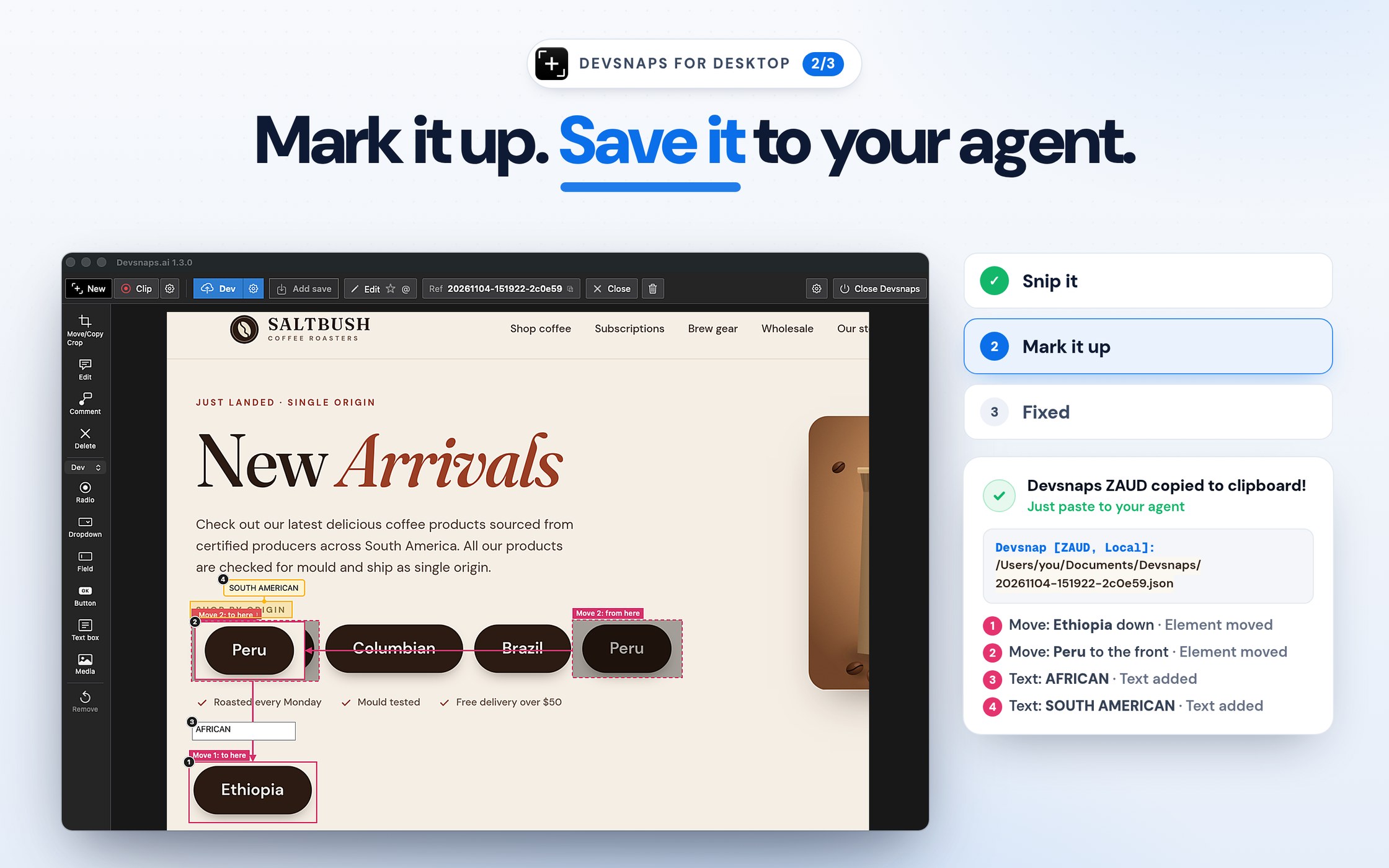
Use the edit tools to move, mark up and edit text.
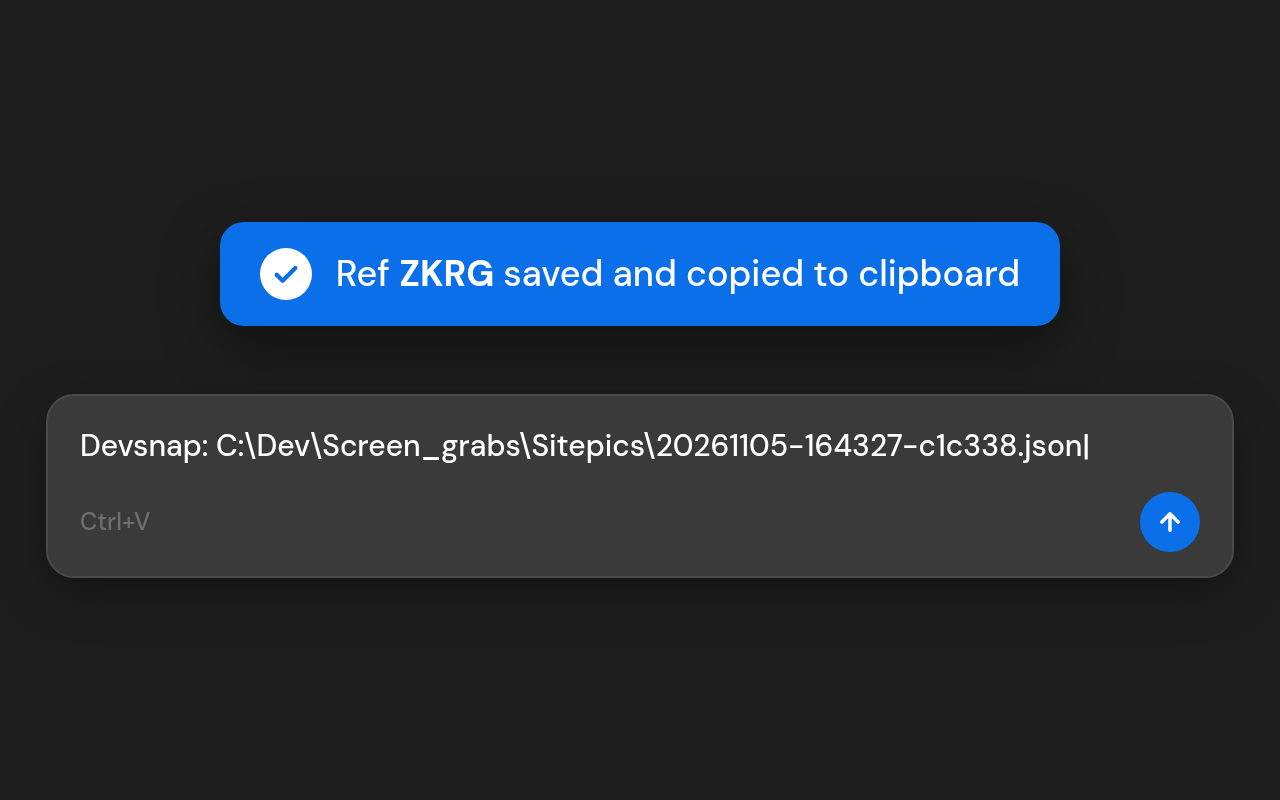
When you're happy, hit Save. Devsnaps saves to your local path, including the page address, your edits and notes. The file path is also copied to your clipboard, so you can paste it straight to your agent.

Optional: use a Sitepics account to also send snaps to a cloud feed. Read the privacy page.
The Devsnaps app for Windows.
DownloadDigitally signed by Sitepics.app Pty Ltd via Microsoft Azure Trusted Signing
SHA-256 64712cf7522ffdd1fbbd67cae3d5abd875c1edf0a201c375422989fb9e5bfb43
How to check: PowerShell Get-FileHash .\Devsnaps-1.43.19.msi
The Devsnaps app for Mac.
Coming soon